Rich Content Formatting
News Macro
News Macro
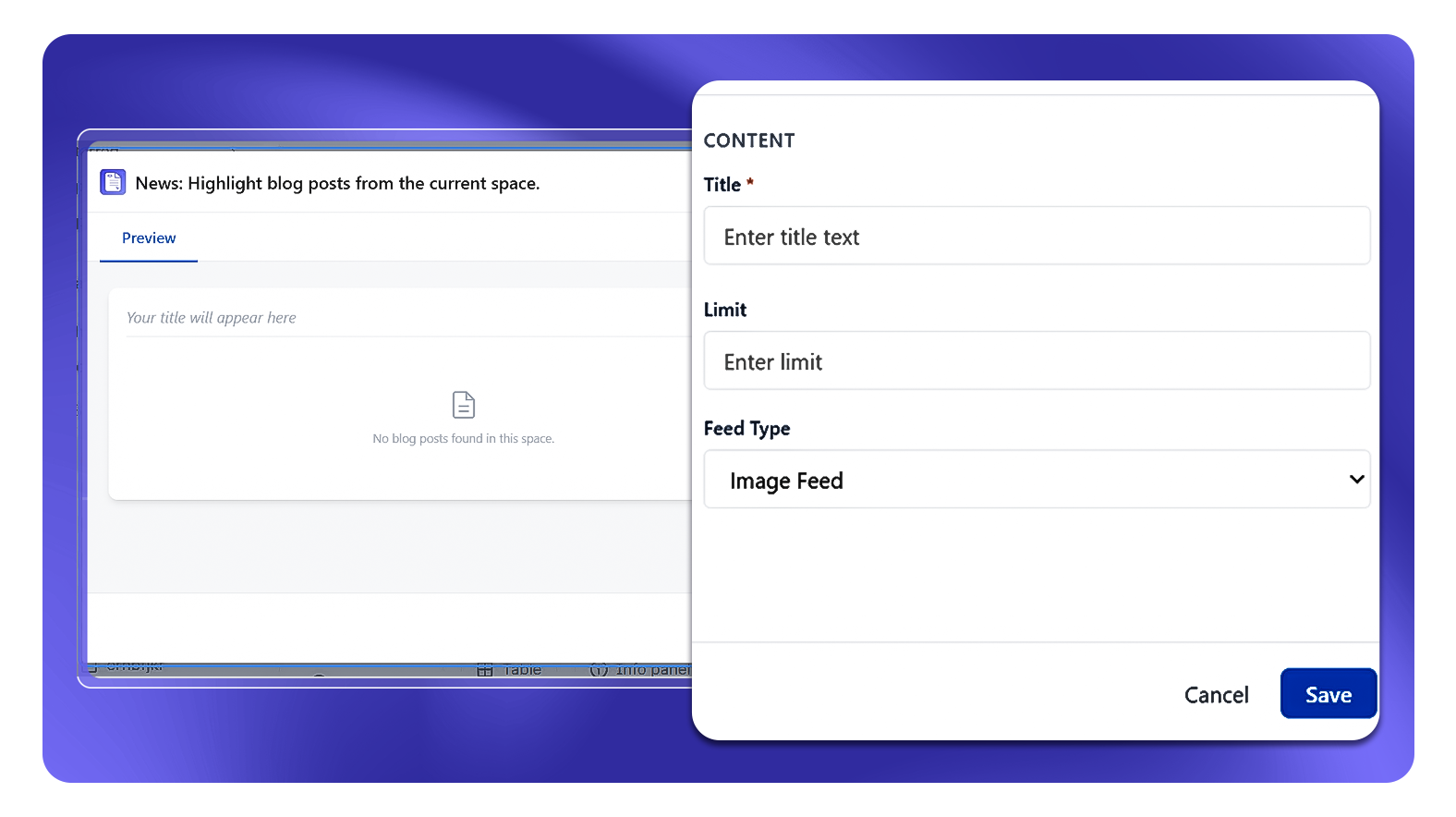
What It Does
The News macro displays Confluence blog posts from your space as a styled feed on any Confluence page. You give the feed a title, set how many posts to show, and choose the feed type - the macro then renders the matching blog posts in that layout.
How to Set It Up
- Insert the News macro on your page
- Enter a Title for the feed (required)
- Enter a Limit - the number of blog posts to display
- Select a Feed Type from the dropdown (e.g. Image Feed)
- Publish the page
Configuration Options
| Setting | Description |
|---|---|
| Title | Required - the heading displayed above the blog post feed |
| Limit | Number of blog posts to show in the feed |
| Feed Type | Controls the layout of the feed (e.g. Image Feed displays posts with their associated images) |
Common Use Cases
- Space home page: Show the latest blog posts from your space so visitors always see recent updates
- Team hub: Surface team announcements written as Confluence blog posts
- Project space: Display project updates and news posts in a visual feed layout
- Knowledge base: Highlight recently published blog articles for readers
Behavior Notes
- The macro pulls blog posts from the current Confluence space
- Only published blog posts are shown - drafts are not included
- Posts the viewer does not have read permission to access are not displayed