Rich Content Formatting
Alert Macro
Alert Macro
What It Does
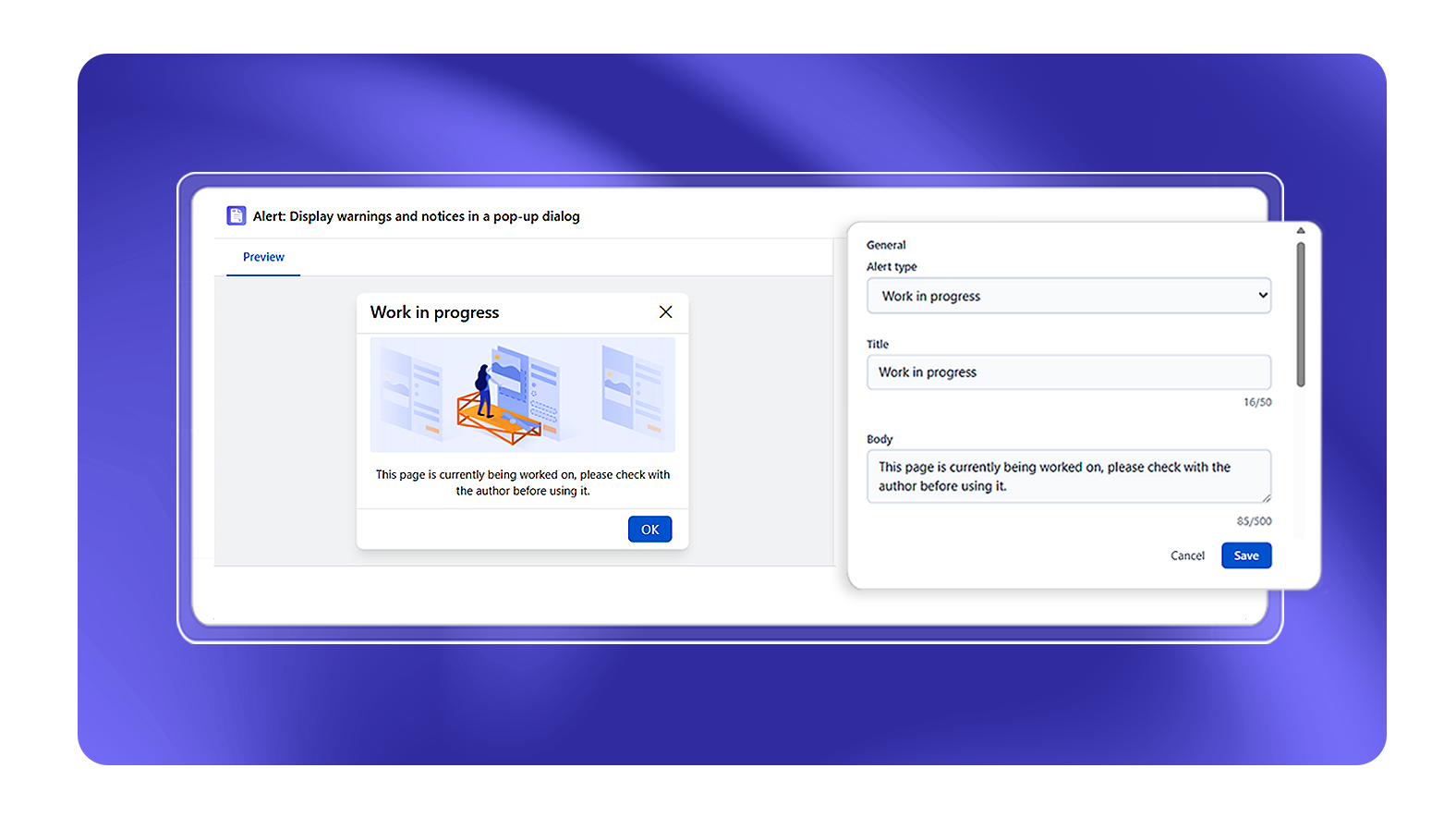
The Alert macro creates a styled banner for informational messages, warnings, errors, or success confirmations. Alerts have a colored left border and icon that immediately signals the message type to the reader.
Alert Types
| Type | Use For |
|---|---|
| Work in progress | Page being actively edited or drafted |
| Info | General information, notes, tips |
| Warning | Caution, important considerations |
| Error | Errors, failures, destructive actions |
| Success | Confirmations, completed steps |
| Sensitive | Sensitive or restricted information |
| Outdated | Content that may be stale or superseded |
Configuration Options
| Setting | Options |
|---|---|
| Alert type | Work in progress, Success, Error, Info, Sensitive, Warning, Outdated |
| Style | Image Alert (with icon image) or Simple Alert (text only) |
| Title | Bold heading for the alert (max 50 characters, required) |
| Body | Alert message text (max 500 characters, required) |
| Image | Custom image upload - only visible when Style is Image Alert |
| Permanently dismiss | Checkbox - adds a dismiss option so readers can hide the alert permanently (stored in browser local storage) |
| Background color | Color picker or custom hex |
| Text color | Color picker or custom hex |
Known Limitations
- The Permanently Dismiss option stores the dismissed state in the browser's local storage - it resets if the user clears browser data or switches devices
Best Practices
- Use Info for routine tips and asides
- Reserve Error for genuine error states or dangerous actions
- Keep alert body text concise - if you need more than 3 sentences, consider an Advanced Expand section instead