Dynamic Filter Controller
Overview
The Dynamic Filter Controller is a shared interactive filter bar that sits on your dashboard. When a user changes a filter, every gadget connected to it updates simultaneously - charts, tables, and all.
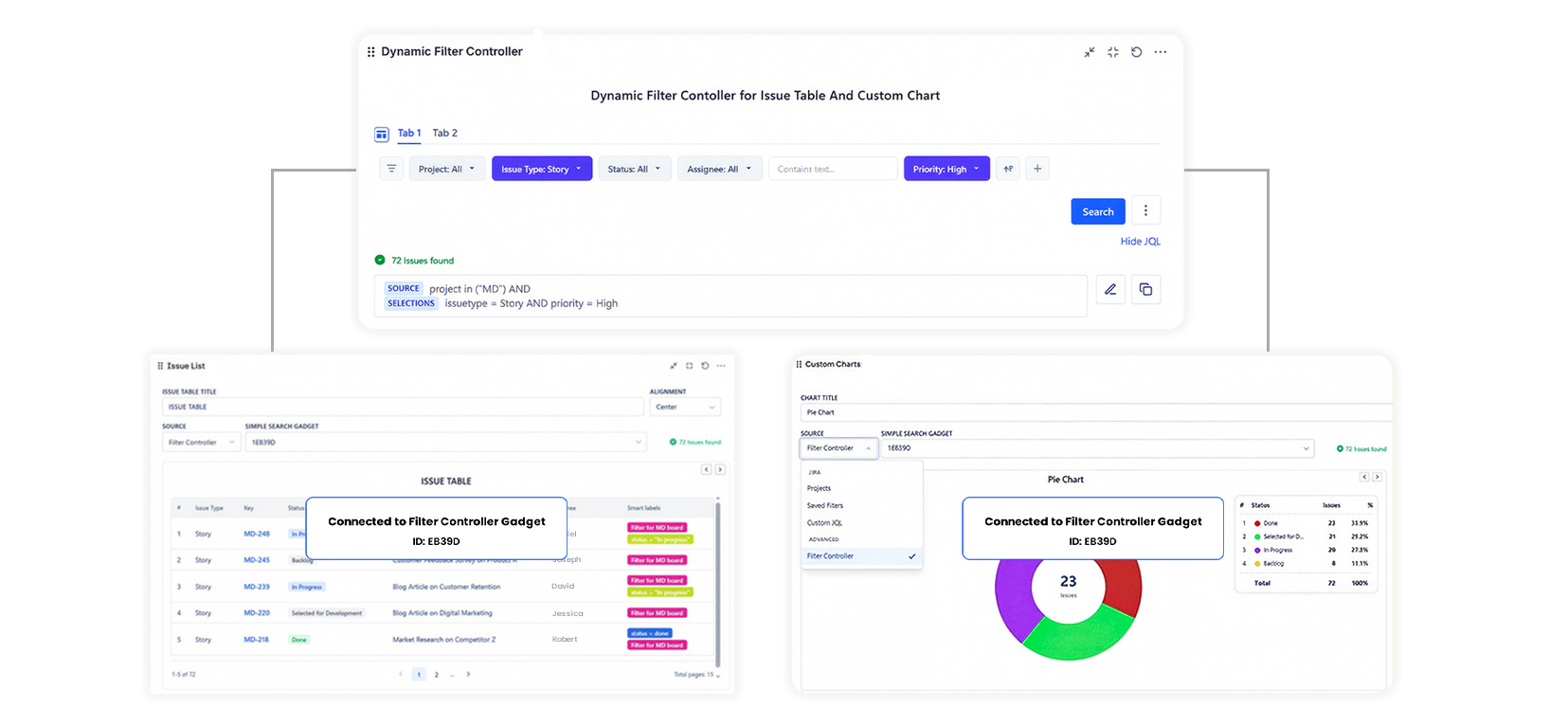
The Problem It Solves
Without the controller, filtering requires editing each gadget individually. A dashboard with 6 gadgets needs 6 separate edits to show "only sprint 42" - and reverting requires 6 more.
With the controller, one filter selection updates all 6 gadgets at once. Users interact with dashboards without needing to edit anything.
How It Works
- You set up the controller with a base data source and the filter fields users should see
- You connect your gadgets to the controller using a Reference ID
- Users select filters in the bar - the whole dashboard updates instantly
- Users click tabs to switch between preset views (e.g., "This Sprint", "My Issues")
Feature Overview
| Feature | Description |
|---|---|
| Shared Filtering | One filter bar controls all connected gadgets simultaneously |
| 4 Filter Types | Jira field dropdowns, text search, custom JQL, saved filter toggles |
| Preset Tabs | Named views users switch between with one click |
| Real-time Updates | Connected gadgets update immediately on filter change |
| Reference ID | A unique code used to link gadgets to the controller |
| Templates | Pre-built tab configurations for common use cases |
When to Use It
Use the Dynamic Filter Controller when:
- Your dashboard has more than 2 gadgets and users need to filter across all of them
- Different team members need to filter the same dashboard by their own name
- You want preset views like "This Sprint", "Bugs Only", or "My Issues" users can switch between instantly
- You want a clean, interactive dashboard without exposing complex JQL to end users