Custom Charts Gadget
Templates
Use Templates to start a Custom Chart faster with a ready-made chart setup. Templates are useful for common reporting views such as Issues by Status, Priority, Issue Type, Assignee, Project, and comparison-style charts.
Where to find it
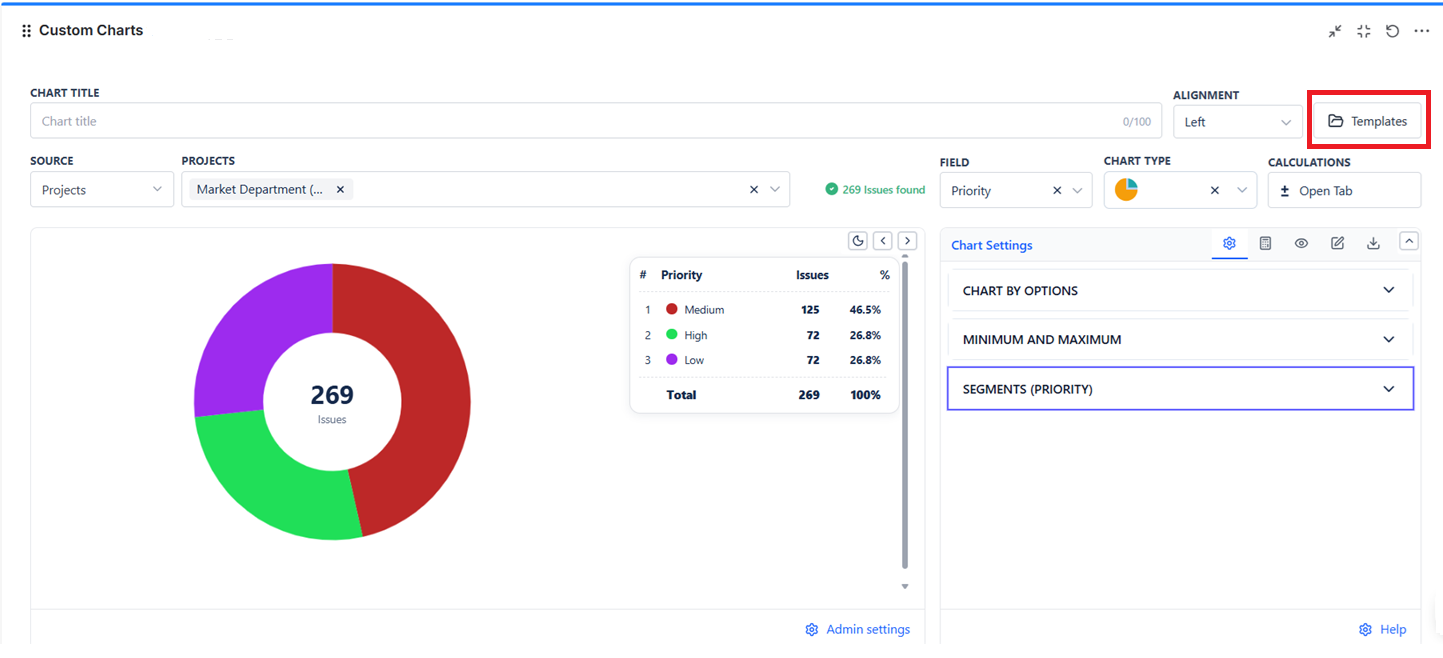
- Open a Custom Chart gadget.
- Click Edit.
- Use the Templates option from the chart header or title area.
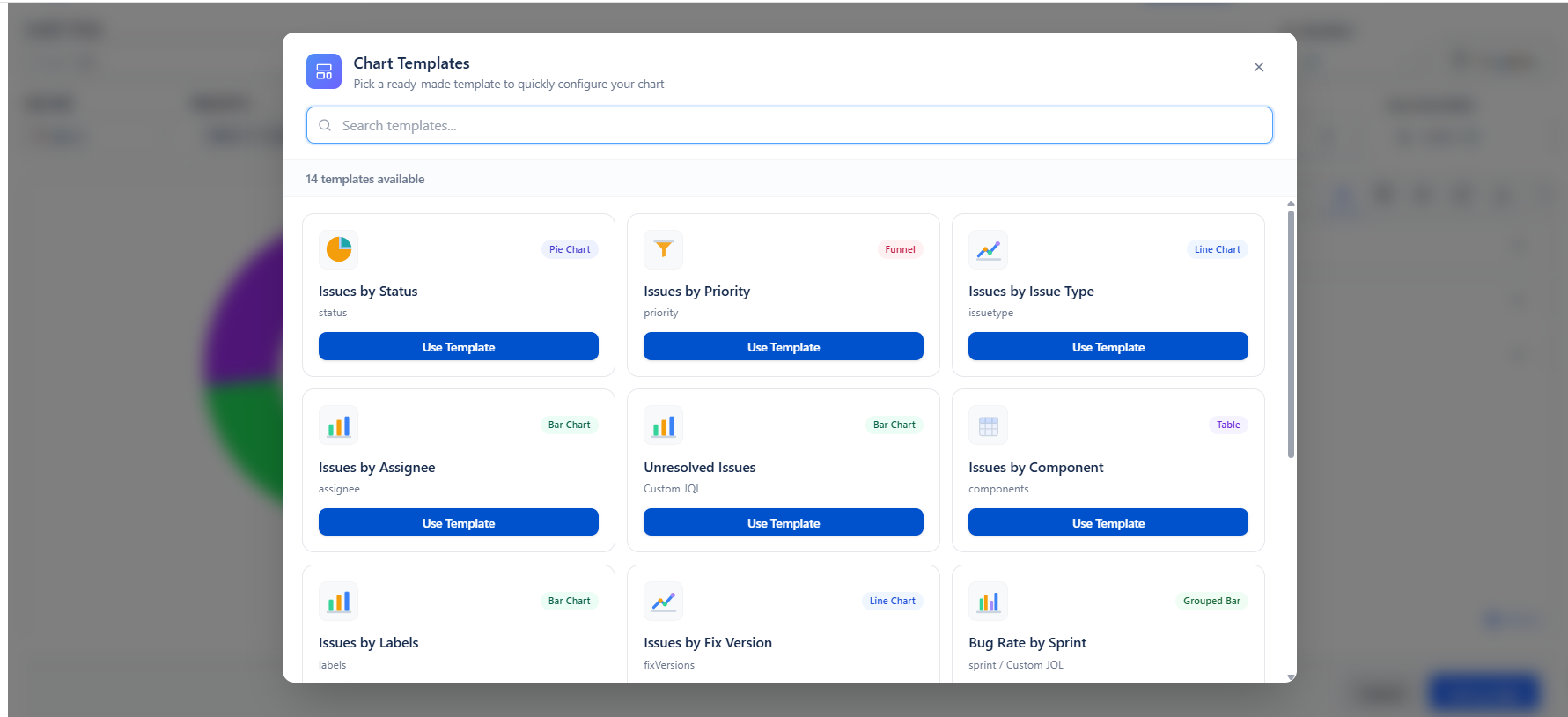
- Browse the template list, search by name, and click Use Template.
What Templates do
- Give users a quick starting point instead of building the chart manually from scratch.
- Apply a ready-made chart idea with the main chart structure already filled in.
- Help teams create common reports more consistently across dashboards.
- Still allow the user to edit the chart after the template is applied.
What gets applied when you use a template
| Area | What the template applies | Why it matters |
|---|---|---|
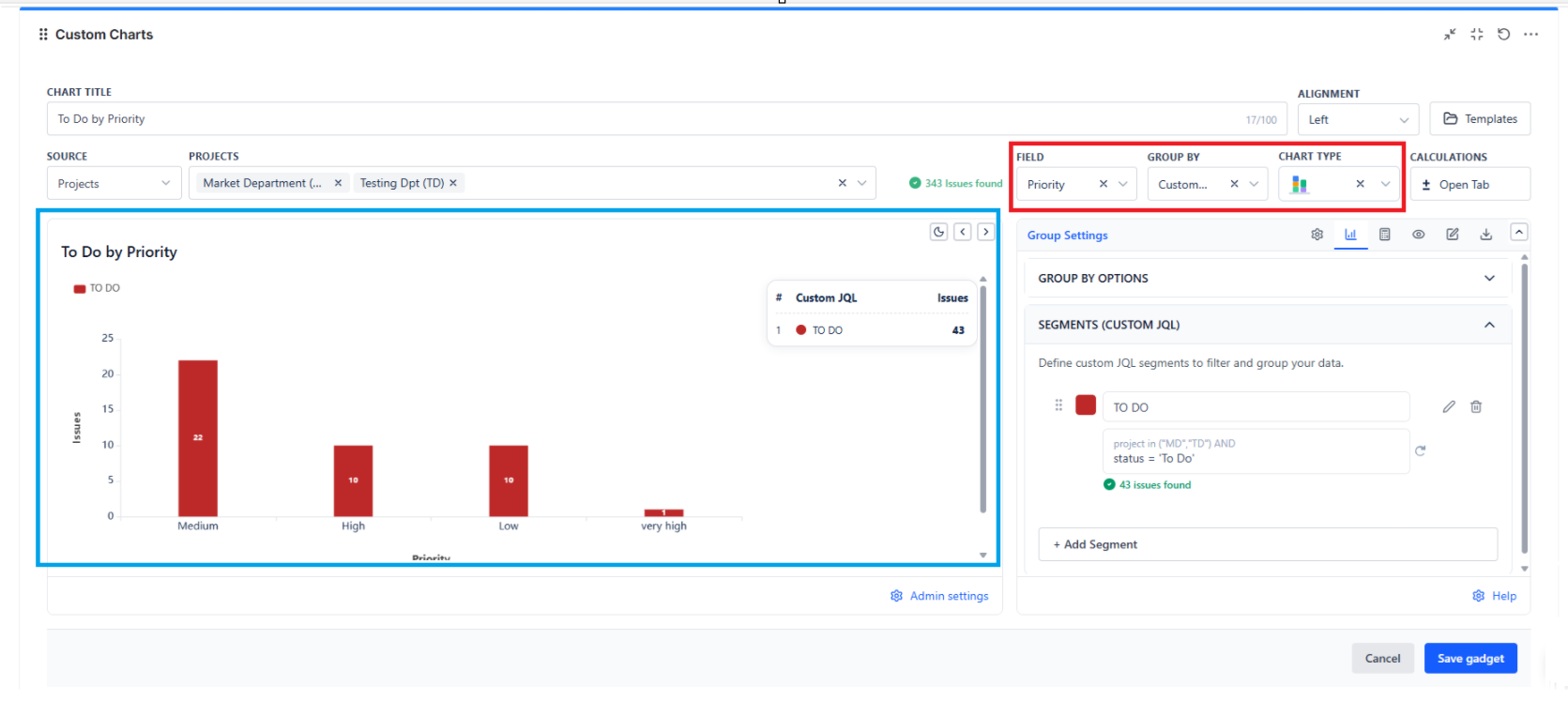
| Chart setup | Chart title, chart type, main field, and group by field when defined in the template. | The basic report layout is created for you. |
| Advanced logic | JQL segments and group-by JQL segments for templates that use comparison or segment-based logic. | Templates can represent more than a simple field chart. |
| Starter labels | Starter labels used by the template where needed. | Users get a readable chart immediately and can refine it later. |
Template catalog for Custom Charts
| Template | Chart type | Main field | Group By | What it creates | Best use |
|---|---|---|---|---|---|
| Issues by Status | Pie Chart | status | - | Shows how issues are distributed by status. | Good for a fast status breakdown and a simple shareable chart. |
| Issues by Priority | Funnel Chart | priority | - | Shows issue volume by priority in a funnel-style view. | Useful when you want to compare how work is distributed across priority levels. |
| Issues by Issue Type | Line Chart | issuetype | - | Plots issues by issue type in a line-style view. | Useful when you want a lightweight category comparison in a line chart presentation. |
| Issues by Assignee | Bar Chart | assignee | - | Shows how work is distributed across assignees. | Useful for workload distribution or ownership checks. |
| Unresolved Issues | Bar Chart | Custom JQL | - | Creates a JQL-segment chart using the segment "Unresolved" with JQL status != Done. | Useful when you want a quick unresolved-only starter chart without building a segment manually. |
| Issues by Component | Table Chart | components | - | Builds a table-based summary by component. | Useful when users prefer a tabular view instead of a visual chart. |
| Issues by Labels | Bar Chart | labels | - | Builds a bar chart grouped by issue labels. | Useful for tag-based reporting and theme analysis. |
| Issues by Fix Version | Line Chart | fixVersions | - | Builds a line-style chart by fix version. | Useful for release-oriented reporting. |
| Bug Rate by Sprint | Grouped Bar Chart | sprint | Custom JQL (group by segments) | Uses Group By JQL segments and starts with a "Bugs" segment using issuetype = Bug. | Useful when you want sprint-level comparison with a bug-only grouped slice. |
| Issues by Status per Project | Stacked Bar Chart | status | project | Compares statuses within each project using a stacked bar layout. | Useful for cross-project status comparison in one chart. |
| Issues by Priority per Project | Grouped Bar Chart | priority | project | Compares project-level priority distribution side by side. | Useful for seeing whether one project carries more high-priority work than another. |
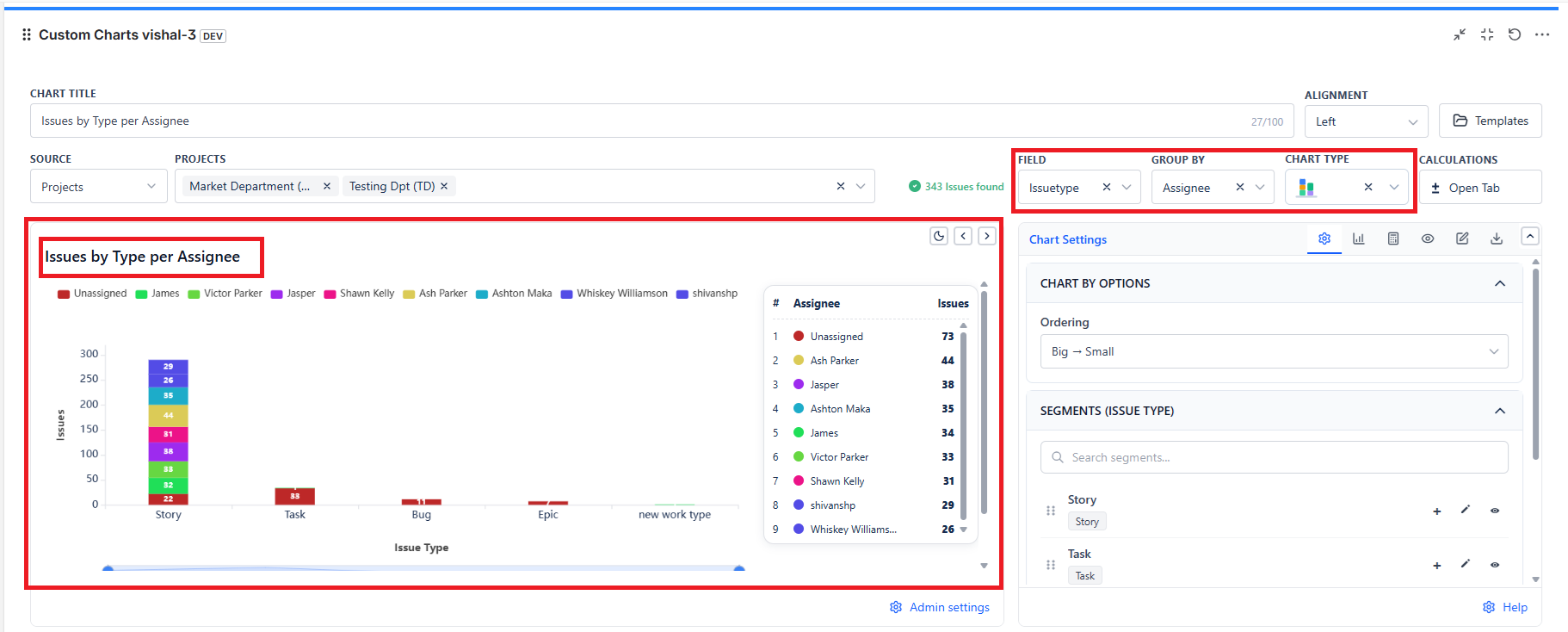
| Issues by Type per Assignee | Stacked Bar Chart | issuetype | assignee | Compares issue types within each assignee. | Useful for role mix, work allocation, and team ownership analysis. |
| To Do by Priority | Stacked Bar Chart | priority | Custom JQL (group by segments) | Uses Group By JQL segments and starts with a "TO DO" segment using status = 'To Do'. | Useful when you want to compare only To Do issues by priority. |
| Epic Progress | Grouped Bar Chart | status | Epic link | Builds a grouped comparison using status within each Epic link. | Useful for epic-level progress review and delivery tracking. |
Important behavior and limitations
- Templates are built-in starter templates in the current implementation. They are not user-saved personal templates from the UI.
- Templates focus on chart setup, not full gadget restoration.
- Templates do not replace the need for Display Options when you want appearance-level customization.
- If the admin disables the Templates feature, users will not be able to use the template action.