Help & Support
Help & Support
Navigate to Help & Support in the sidebar. The page provides three quick-action cards and a built-in Pulse AI Guide accordion.
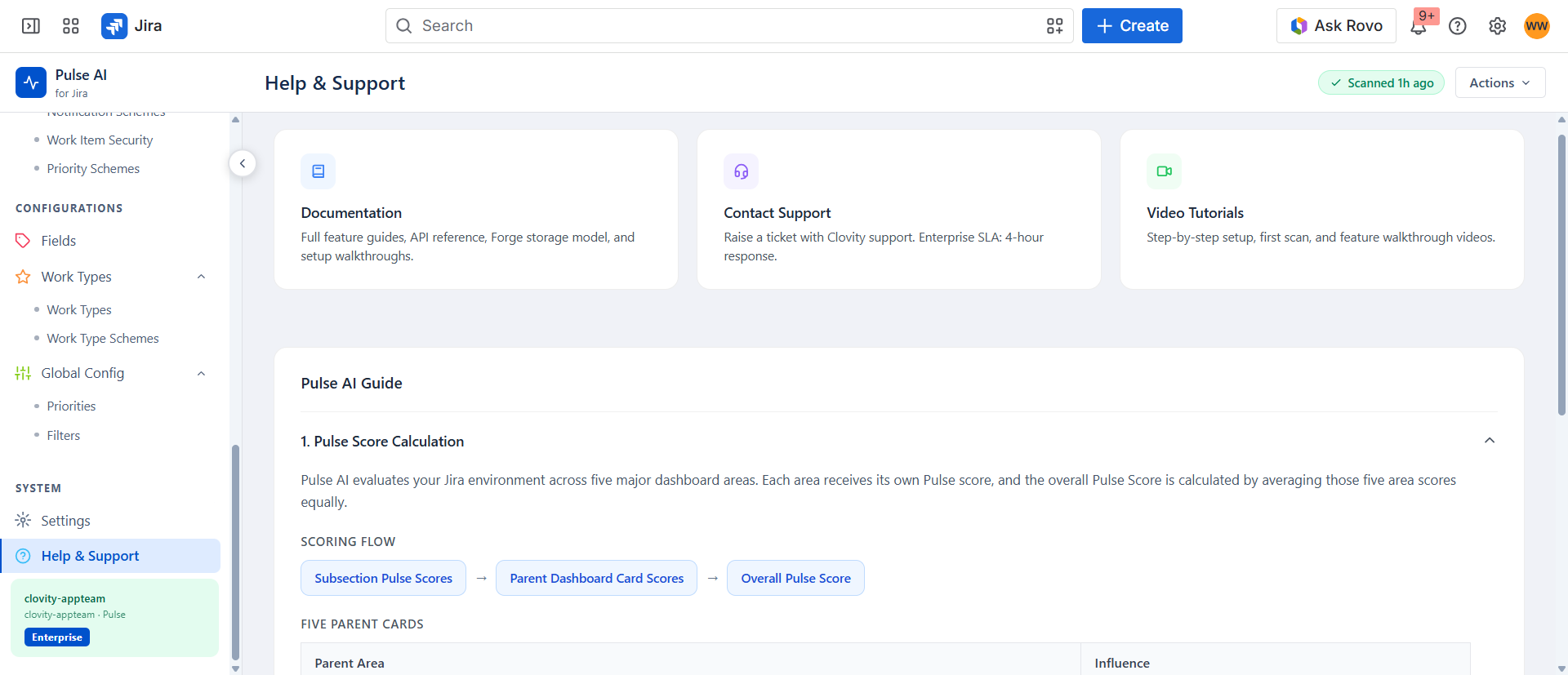
Support Resources
| Resource | Description |
|---|---|
| Documentation | Full feature guides, API reference, and setup walkthroughs. |
| Contact Support | Raise a support ticket at support@clovity.com. Enterprise SLA: 4-hour initial response. |
| Video Tutorials | Step-by-step setup, first scan, and feature walkthrough videos. |
Built-in Pulse AI Guide
The in-app accordion provides five reference sections without leaving Jira:
- Pulse Score Calculation - Scoring flow diagram and the five parent pillar areas with 20% influence each.
- Grade Guide - A–F grade reference with score ranges and colour coding.
- Severity Guide - High / Medium / Low / None definitions.
- Common Pulse AI Terms - Full glossary including Pulse Score, Grade, Finding, Clean Signal, Orphaned, Unused, Stale, Dormant, Bloated, Widely Shared, Guard, and more.
- Clean Signals - Explanation of what passed checks mean.
Enterprise SLA
For Enterprise plan customers, Clovity provides:
- 4-hour initial response for all support tickets
- Dedicated Slack channel (upon request)
- Named technical account manager for onboarding and ongoing governance reviews