Advanced Content Navigation (Tabs)
Tab Confluence Page Mapper
Tab Confluence Page Mapper Guide
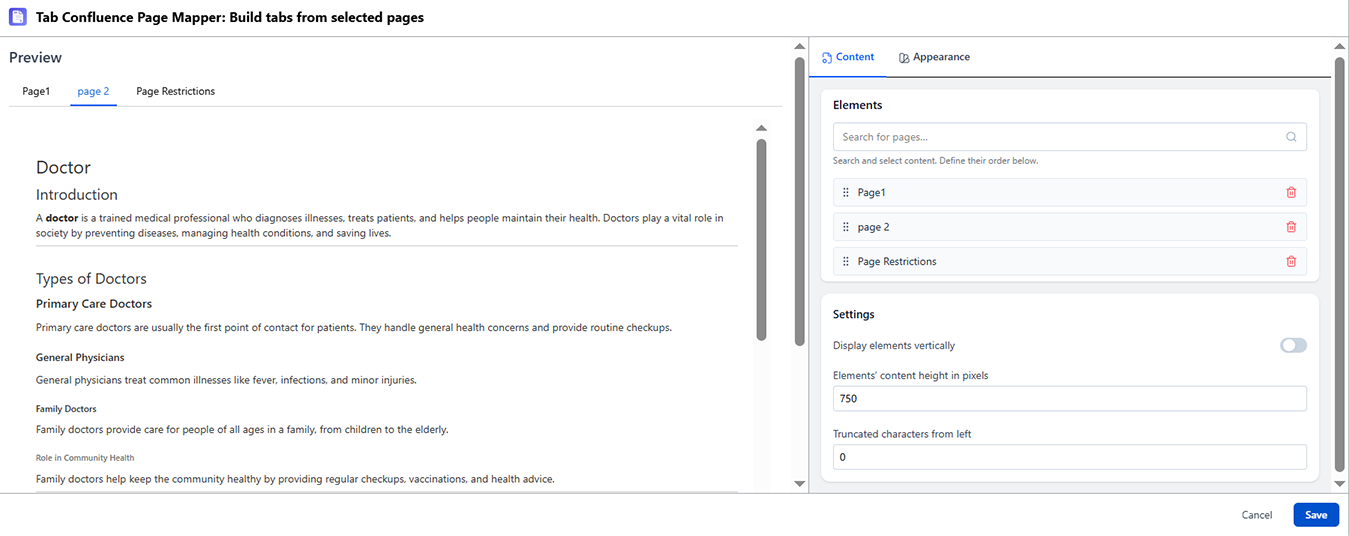
What It Does
The Tab Page Mapper lets you hand-pick specific pages from anywhere in the Confluence space to appear as tabs. Unlike the Parent or Label mappers, this one requires manual updates - you control exactly which pages are included and in what order.
When to Use It
- You want precise control over which pages appear as tabs
- The pages you're grouping don't share a parent or a label
- You need tabs that pull from multiple different spaces
- The dynamic behavior of other mappers would include pages you don't want
How to Set It Up
- Insert Tab Confluence Page Mapper directly on the page
- In the config panel, add pages one by one - search by title or paste page URLs
- Drag to reorder the page list
- Preview and publish
Known Behavior
If a page in the list is deleted, the corresponding tab is removed automatically when the macro is edited or refreshed. Check your page list periodically if content is maintained by others.