Dashboard
Dashboard Overview
The Dashboard is the default landing page after login and scan. It shows the overall Pulse Score, five pillar cards, an instance summary, top risks, section score breakdown, and governance and configuration highlights.
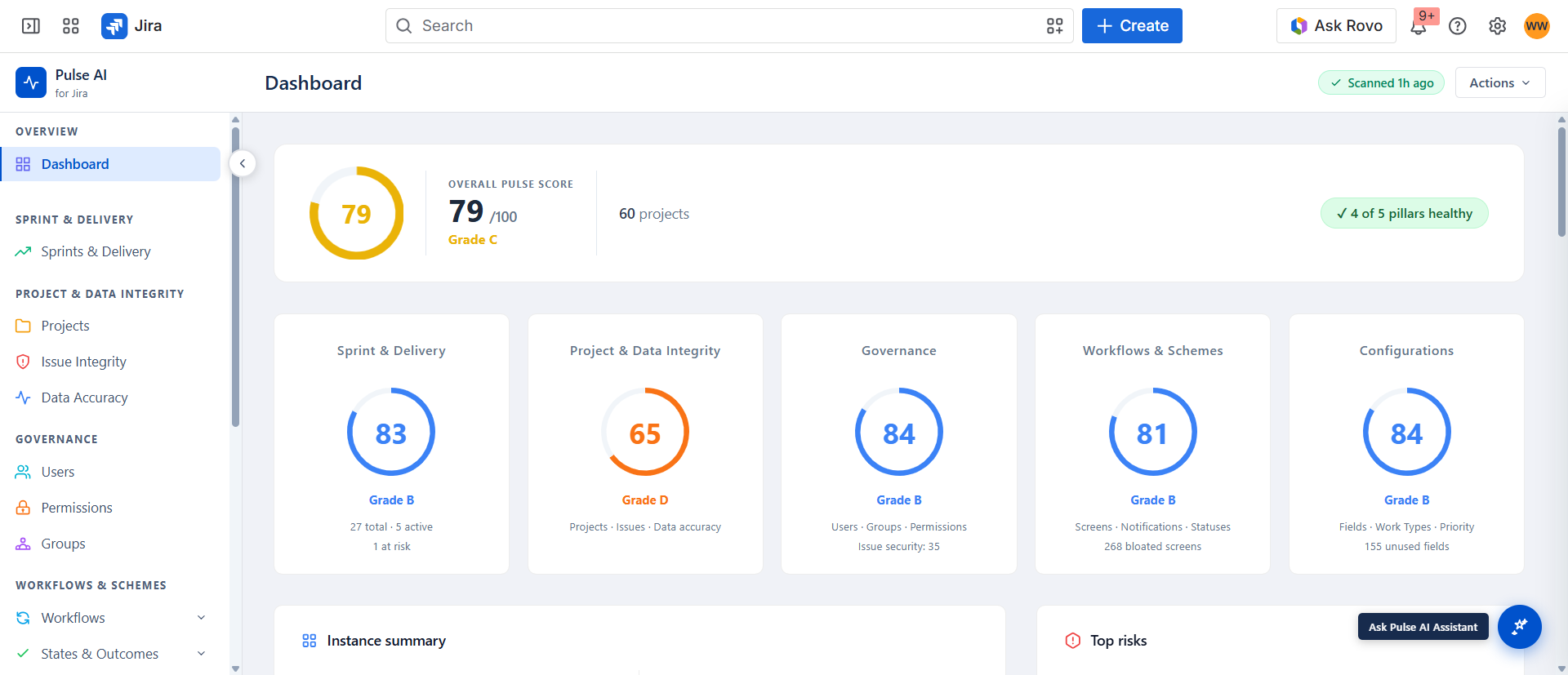
What You See on the Dashboard
| Element | Description |
|---|---|
| Pulse Score ring | Composite 0–100 score with grade (A–F) and colour |
| Five pillar cards | Individual scores for Sprint & Delivery, Project & Data Integrity, Governance, Workflows & Schemes, and Configurations |
| Instance summary | Summary of scanned projects and sections |
| Top Findings | Highest-severity findings from the last scan |
| Ask Pulse AI button | Opens the full-instance AI assistant (bottom-right) |